Microsoft Execution Containers for AI agents reach GA
Microsoft Execution Containers, generally available since October 7, wall AI agents off from files and networks on Windows 11, macOS and Linux.
4 min read
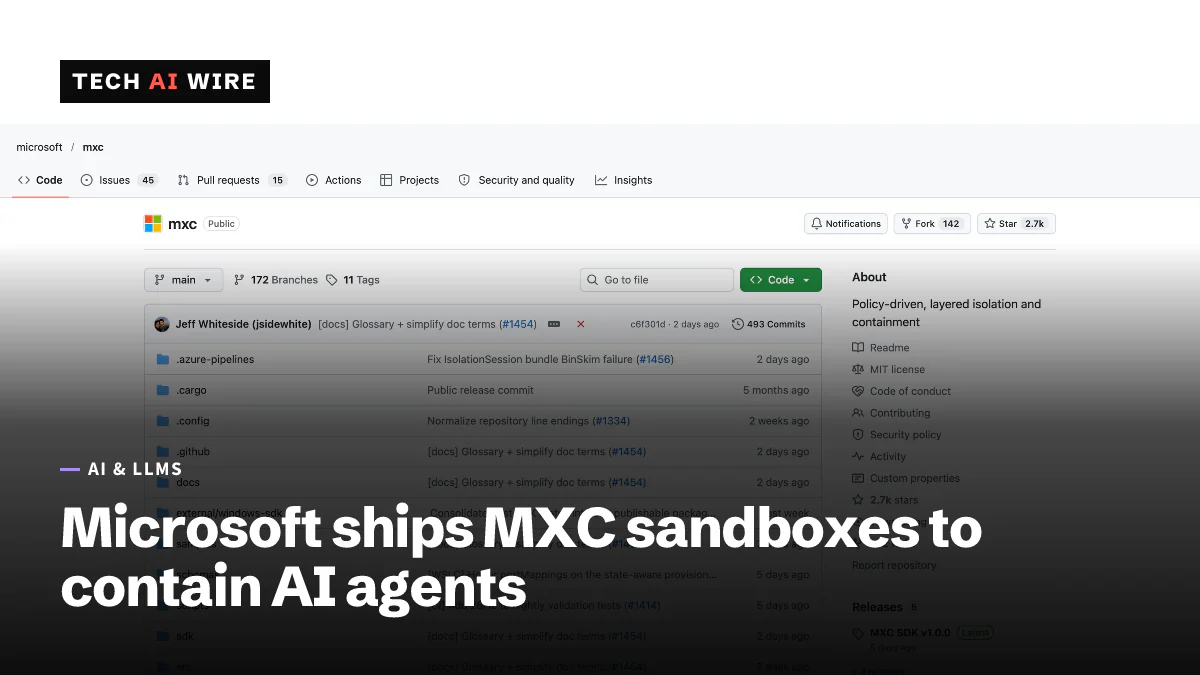
Microsoft made Microsoft Execution Containers, or MXC, generally available on October 7, 2026. MXC is a set of sandboxes that limit which files, networks and apps an AI agent can touch, with the limits enforced by the operating system. Agents from GitHub Copilot, OpenAI Codex and four other vendors already use it, so many developers will meet it without choosing it.
What MXC is
An AI agent is a program that uses a language model to take actions on a computer, such as editing files or running commands. That power is also the risk. Microsoft's announcement, written by Logan Iyer, corporate vice president for Windows Platform and Developer, says companies today mostly face two choices. They either give agents unrestricted access or block them. "Neither option is acceptable," Iyer writes.
MXC sits in between. A developer or IT administrator writes down which resources an agent may use, and MXC enforces those limits while the agent runs. "An agent cannot be its own security authority," the post says. The boundary is enforced outside the agent, so the agent cannot switch it off.
The Stack, a business technology news site, describes MXC as a sandbox for untrusted code, such as model output, plugins and tools. It says the code is released under the MIT license and has been on GitHub for months. Microsoft first showed MXC at its Build conference.
Four kinds of container
MXC offers four containment backends. A backend is the operating-system feature that does the actual fencing off. Microsoft's post lists them like this:
| Container | Runs on | How it isolates | Status |
|---|---|---|---|
| Process container | Windows 11, macOS, Linux | AppContainer, Seatbelt or Bubblewrap | Generally available |
| Session container | Windows 11 only | A separate Windows account and session, with its own desktop, clipboard and input | Generally available |
| WSL container | Windows 11 only | A Linux environment through the Windows Subsystem for Linux | Generally available |
| MicroVM | Windows 11, Linux | A hardware-enforced virtual machine | Experimental |
Each container can run in one of three modes: Enforcement, Learning and Permissive. Microsoft also says an agent that hits a blocked resource should explain the limit or ask for permission. It should not simply fail without saying why.
The Stack quotes Iyer on the difference between the systems: "Only Windows supports a session container, which runs an agent on the user's device in a separate, OS-isolated session." It adds that Windows 11 support is "more mature but not comprehensive."
Who supports it
According to Microsoft, these agents already work with MXC:
- GitHub Copilot
- OpenAI Codex
- OpenClaw
- Replit
- LM Studio
- Unsloth AI
Microsoft says more tools will add support later. They include Anthropic's Claude Code, Box, Egnyte, Heidi Health, Hermes Agent by Nous Research, Manus, Perplexity, Raycast and Simular. Nvidia has also built its OpenShell tool into MXC, adding network controls, credential management and audit logs.
Windows 365, Microsoft's cloud PC service, supports MXC now. Other pieces are still "coming soon," the post says. Intune, Microsoft's device management service, will later manage MXC process containers on Windows 11. The Stack reports that Microsoft gave no firm date. Agent 365 controls for agents running on the device itself are also still to come.
Why it matters now
Microsoft's own chief executive argued for this kind of control days later. On October 10, Satya Nadella called for an emergency brake for AI models and said every model should be contained from the start. MXC is the Windows tooling for that idea.
It also follows a similar move in Microsoft's code editor. VS Code 1.141 started sandboxing AI agents on Windows, macOS and Linux the same week.
What this means for developers
For teams building agents, MXC offers a ready-made way to limit what their tool can do:
- Start from the repo. The SDK, the policy format, documentation and samples are at github.com/microsoft/mxc. Microsoft describes one JSON policy format that maps to each operating system's own sandbox. The Stack describes the SDK as a Rust library that apps embed.
- Use Learning mode first. Run an agent with a draft policy and see which files and network addresses it actually needs. Then tighten the policy before switching to Enforcement.
- Design for "access denied." An agent inside MXC will hit blocked paths. Have it explain the block to the user instead of retrying or failing silently.
- Do not rely on MicroVM yet. It is the strongest boundary, but Microsoft still labels it experimental.
For IT teams, the useful check is which agents staff already run. Copilot and Codex support MXC today. Claude Code and the other announced tools do not yet. Until Intune management ships, company-wide rules for these containers cannot be pushed from Intune.
Sources
- Microsoft Execution Containers: Policy-driven containment for AI agents - Windows Developer Blog
- Microsoft takes MXC, its agent management layer, GA - The Stack
Related articles
VS Code 1.141 sandboxes AI agents on Windows, macOS, Linux
VS Code 1.141 sandboxes AI agents on Windows, macOS and Linux, shows agent sessions in a grid and picks up Codex and Copilot chats started in other apps.
Microsoft Titan flaw exposed 17.3 trillion rows to a teen
Titan accepted unsigned login tokens, so a 16-year-old could query 17 databases holding 17.3 trillion rows. Microsoft fixed it and paid him $5,000.
Rust is now a tier-1 language at Microsoft
Microsoft made Rust a tier-1 language beside C++, C# and TypeScript. More than 100 of its repositories now build Rust code.
The weekly digest
One email every Friday with the week's top stories from all six desks: AI, dev tools, coding, the tech industry, startups and what's next. Free, no spam.