Audacity 4.0 rewrites the editor in Qt, drops scripting for now
Audacity 4.0 ships a full Qt rewrite with a new clip-editing model and project format. Eight features, including scripting and plugin hosting, are gone for now.
3 min read
By the numbers
- features temporarily removed, including scripting and plugin hosting
- 8
- the new project format; converted .aup3 files cannot convert back
- .aup4
- default workspace layouts: Modern, Classic, and Music
- 3
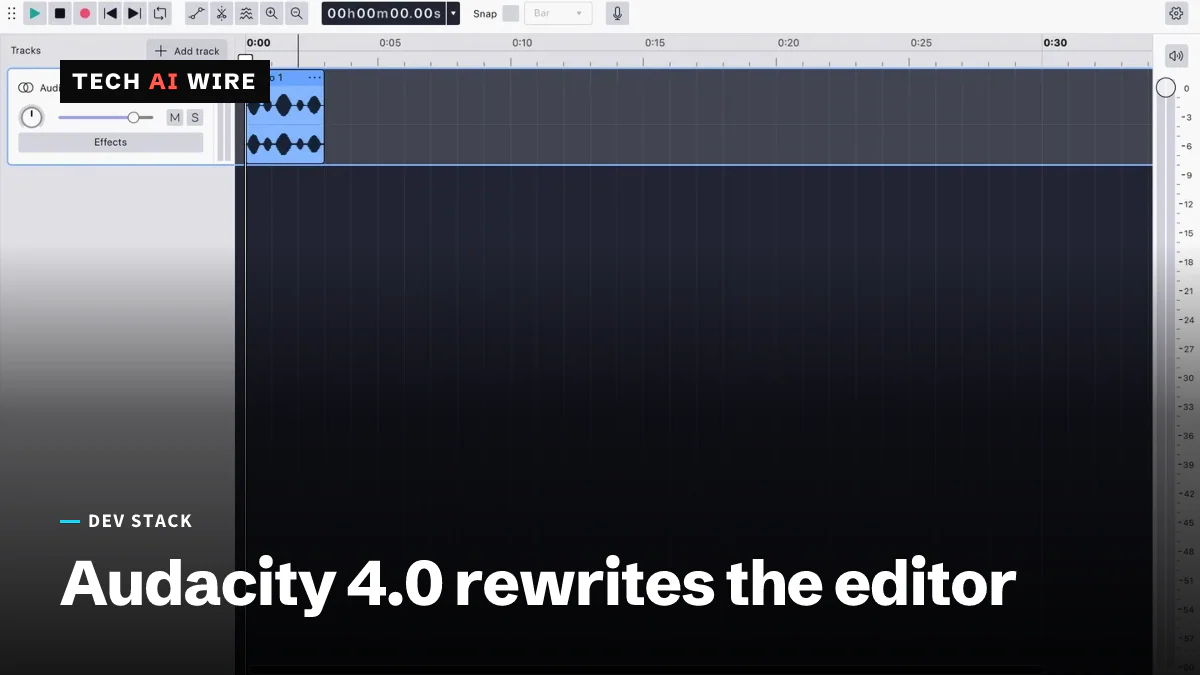
Audacity 4.0 shipped on September 3, 2026, rebuilding the open source audio editor's interface from scratch on Qt. The new version changes how clips are edited and how projects are saved, and it temporarily drops eight features that power users may already depend on.
What actually changed in the editor
The interface itself is new. GitHub's release notes describe toolbars and panels that are now movable, dockable, and hideable, with three ready-made workspace layouts: Modern, Classic, and Music. Linuxiac reports the rebuild adds native high-DPI rendering and light, dark, and high-contrast themes.
Editing works differently too. Clips are now selected by clicking their header, according to the release notes, and shift-click extends the selection to several clips at once. Multiple selected clips can be moved, trimmed, or time-stretched together, and clips can be grouped so they move as one unit through cuts, copies, and pastes.
Four old tool modes are gone. Linuxiac reports that Select, Envelope, Draw, and Multi-tool modes have been removed, replaced by behavior that reacts to what the user is doing rather than which mode is active. Splitting a clip now has its own dedicated shortcut, the S key.
The project file changed, and the door only swings one way
Audacity 4.0 introduces a new project format, .aup4, replacing .aup3.
| Direction | What happens |
|---|---|
| Old .aup3 project opened in 4.0 | Converts automatically |
| Converted project saved again | Cannot be saved back to .aup3 |
| Older .aup files | Still importable |
Linuxiac confirms the conversion runs one way only. Once a project converts, saving it back to the old format is not possible. Anyone with active .aup3 projects that other tools or teammates still read on Audacity 3 needs to plan around that before opening files in the new version, not after.
Eight features are missing, for now
The release notes list what is not currently available: Time Tracks, Note/MIDI tracks, Mixer, Macro Manager, the scripting pipe, VAMP and LADSPA plugin hosting, Play-at-Speed, and Sync-Lock.
That list matters most to anyone who automated Audacity or extended it with plugins. The scripting pipe is how external tools drive Audacity programmatically. VAMP and LADSPA are the two plugin standards that let third-party audio analysis and effects run inside it. All three are gone in this release.
The maintainers describe the gap as temporary. "We're working on adding them in future releases," the release notes state, without giving a specific timeline.
What this means for developers
If any part of your workflow drives Audacity through its scripting pipe, do not upgrade your production machines yet. There is no replacement API in this release, only a stated intention to bring one back. Keep a 3.x installation available until the scripting pipe actually returns, and test on the day it does before migrating anything that depends on it.
The same applies to VAMP or LADSPA plugins you rely on for analysis or effects. Confirm your specific plugins actually load before you commit a team to the new version. A missing host is a harder failure than a missing feature in the core app, because there is nothing to work around inside Audacity itself.
Treat the .aup4 conversion as irreversible in practice, even though the release notes frame it as automatic. Automatic is not the same as reversible. Duplicate any project you care about before opening it in 4.0 for the first time, especially if it needs to stay compatible with a colleague's older install.
Rebuilding a long-running codebase on a new UI toolkit is a real engineering undertaking, and losing features temporarily during that kind of rewrite is a normal, honest trade-off. Treat this release as a preview of the new architecture's direction, not yet as a drop-in replacement for a scripted or plugin-heavy 3.x setup.
Sources
- Release Audacity-4.0.0 - Audacity (GitHub)
- Audacity 4.0 Audio Editor Released with Redesigned Qt Interface, New Editing Model - Linuxiac
Related articles
COSMIC Epoch 1.11 adds xdg-dialog-v1, hybrid GPU fixes
COSMIC Epoch 1.11 keeps modal dialogs on top with Wayland's xdg-dialog-v1 and sends games to the right GPU on hybrid laptops, 12 days after 1.10.
KDE Plasma 6.8 ships on KDE's 30th birthday without X11
KDE released Plasma 6.8 on October 14, 2026, its 30th anniversary. It retires the X11 session, ships the Kup backup tool and adds a dwell clicker.
OpenSSH 10.6 adds post-quantum signatures, speeds releases
OpenSSH 10.6, out October 6, adds a post-quantum signature type, turns off LZ77 compression and promises faster fixes as AI bug reports pour in.
The weekly digest
One email every Friday with the week's top stories from all six desks: AI, dev tools, coding, the tech industry, startups and what's next. Free, no spam.