Asahi Linux now officially supports M3 series Macs
Asahi Linux has merged M3, M3 Pro and M3 Max support into its installer. Wi-Fi, USB 3 and AV1 decoding work. Sleep, HDMI and fast 3D do not.
3 min read
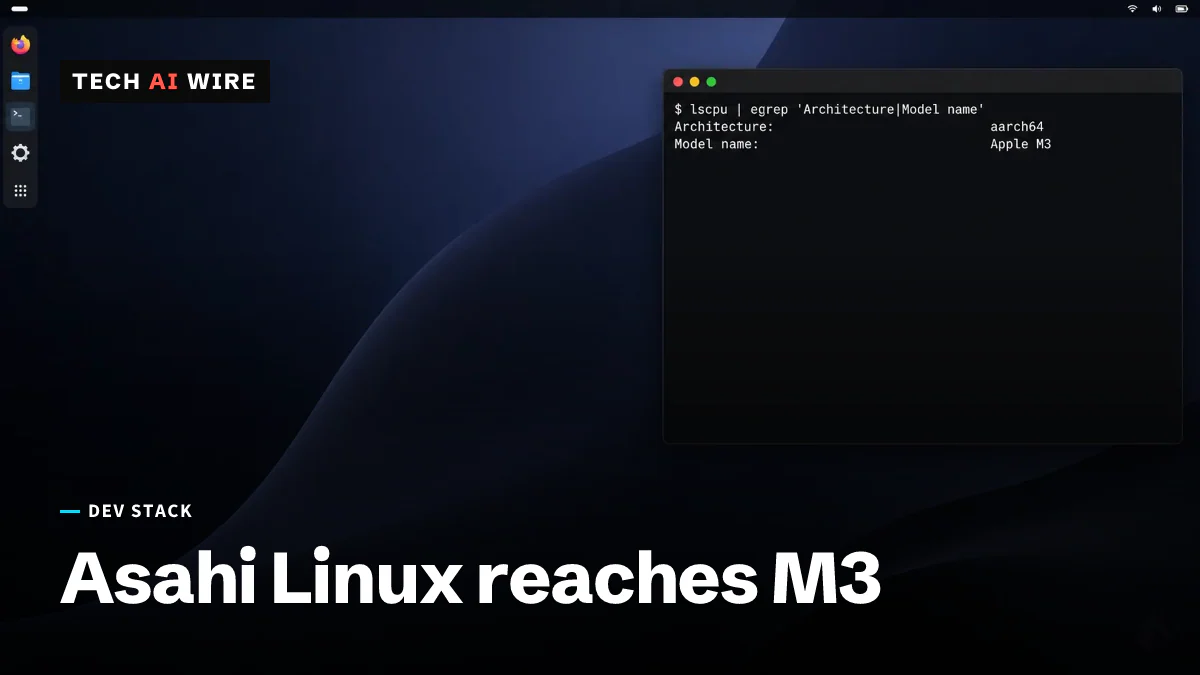
Asahi Linux runs on M3 Macs now, and the project says so out loud. "Asahi Linux now officially supports Macs with an M3 series SoC," the project wrote on September 6, 2026, in a post by James Calligeros. Support covers the M3, M3 Pro and M3 Max, and it is merged into the installer rather than sitting on a branch.
Asahi Linux is the project that ports Linux to Apple's own chips. Apple publishes no documentation for that hardware, so every driver here was written by reverse engineering.
What works on M3 today
The headline claim is continuity. Almost everything supported on the M1 and M2 machines "just works" on M3, according to the announcement.
That list is not small.
| Hardware | Status on M3 |
|---|---|
| Wi-Fi and Bluetooth | Working |
| USB 3, at 10 Gb/s | Working |
| Webcam | Working |
| Internal microphones | Working |
| AV1 video decode, hardware accelerated | Working |
Hardware AV1 decoding matters more than it sounds. Without it, playing a modern video stream falls to the CPU, which drains a battery fast on a laptop.
What does not work yet
Three gaps are worth knowing before you wipe a disk.
Sleep does not work. The announcement blames limitations in the firmware framebuffer, which is the simple display path the machine boots with. A laptop that cannot sleep is a laptop you shut down every time you close the lid.
HDMI output is disabled on the MacBooks that have a port. Turning it on waits for full support of the display coprocessor Apple uses, which the project calls DCP.
Graphics are the third gap, and Calligeros is blunt about it. "Do not expect performant or power-efficient 3D acceleration right now," he wrote. The desktop draws, but games and GPU work do not belong here yet.
One machine is excluded entirely. The Mac Studio with an M3 Ultra is not supported.
Installing it right now
You can install today, but through expert mode, which is the path that assumes you already know what you are doing.
The standard installer is expected to accept M3 machines before the Fedora Linux 45 beta, which the project puts a couple of weeks out.
There is a gap between the announcement and the documentation, and it is worth checking before you start. The Fedora Asahi Remix page still describes the distribution as based on Fedora Linux 44, and its device support list still names only the M1 and M2 families. The blog post is ahead of the docs.
What this means for developers
If you have an M3 Mac you were keeping on macOS for lack of options, that calculation just changed, with caveats. A dual-boot machine is now realistic for terminal work, builds and containers. It is not realistic for anything needing the GPU or a closed lid.
If you maintain a package or a distribution, this widens the Apple Silicon test surface again. Working USB 3, Wi-Fi and cameras, but no sleep and no fast 3D, is an unusual configuration. It will find bugs in code that assumes a normal laptop.
If you are shopping, note which machine is missing. The M3 Ultra Mac Studio is exactly the box someone would buy for running large models locally, and it is the one configuration this release does not cover.
And if you are planning to install, wait for the standard installer unless you are comfortable in expert mode. Two weeks is a short time to wait for a path that does not require you to understand partition layout on Apple hardware.
Sources
- M2: Episode 1 (or, Asahi Linux on M3) - Asahi Linux
- Fedora Asahi Remix - Asahi Linux
Related articles
Snapdragon X2 gets an early Linux developer preview
Qualcomm's Snapdragon X2 Linux preview arrived on September 23, 2026, with official kernel support due around November 2026.
FEX-Emu breaks down the cost of x86 TSO on Arm
Emulating x86 memory rules on Arm drops unaligned throughput to 8.5% of baseline. Write-combine stores are reported 816 times worse.
Ubuntu 26.10 will ship a pre-release Linux 7.3
Ubuntu 26.10 releases on October 15, three days before Linux 7.3 is due to be declared stable. The ISO ships a release candidate.
The weekly digest
One email every Friday with the week's top stories from all six desks: AI, dev tools, coding, the tech industry, startups and what's next. Free, no spam.