Figma Specs, code layers enter open beta at Config India
Figma opened code layers and its new Markdown-based Specs in beta on October 15, 2026, and added 20 MCP partners so outside agents can use Figma.
4 min read
By the numbers
- new MCP partner integrations
- 20
- code layers editing free on paid plans until this date
- Nov 4
- growth in Payload downloads over 12 months, per Figma
- 6x
- of the top 100 BSE-listed companies use Figma, per TechCrunch
- 40%
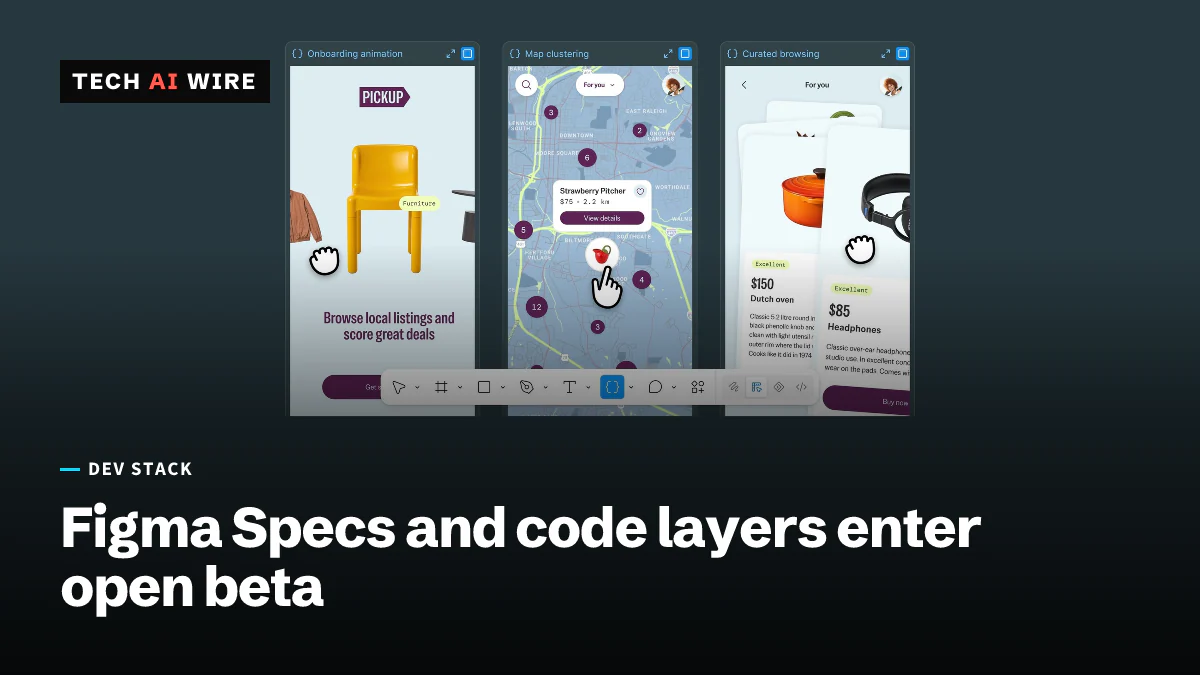
Figma put code layers and a new feature called Specs into open beta on October 15, 2026, at its first Config conference in India. Code layers puts working code on the Figma canvas, next to the designs. Specs gives teams a shared Markdown document that both people and AI agents can read. Together they move more of the path from design to shipped code inside Figma.
Code layers: working code on the canvas
Code layers lets teams build code-backed prototypes on the canvas and work on them together, Figma's announcement says. It is in open beta for all plans.
Teams can start from scratch or import a supported prototyping codebase from GitHub or a local folder. Code imported from GitHub stays connected to the repository. A Figma Chrome extension can capture a live web page as a code layer.
Designers can refine a code layer by prompting the Figma agent, adding comments or editing the code directly. A tool called Extract designs turns the screens back into editable Figma frames. Changes can be pushed to a Git branch and reviewed in a pull request before they are merged.
Code layers uses AI credits, Figma says. Creating and editing code layers is free on paid plans through November 4, 2026. Figma first announced code layers in a private beta in June, TechCrunch reports.
Specs: Markdown on the canvas
Specs is a container for Markdown, a plain-text format with simple marks for headings and lists. A spec lives on the canvas, and several people can edit it at once. Existing .md files can be dragged onto the canvas to become specs.
A spec can hold FigJam boards, design frames and other canvas items next to its text. Agents can reply to comments inside a spec. Specs can also be sent to coding agents through Figma's MCP server. MCP, the Model Context Protocol, is a standard way for AI tools to connect to other software.
Specs is in open beta on all paid plans, on web, desktop and mobile.
Rules for agents and more MCP partners
The other updates aim to make agents, Figma's own and outside ones, follow a team's design rules. According to Figma CEO Dylan Field's post, they arrive at different stages:
| Feature | What it does | Status |
|---|---|---|
| Code layers | Code-backed prototypes on the canvas | Open beta, all plans |
| Specs | Shared Markdown documents on the canvas | Open beta, paid plans |
| Guidelines | Design rules the agent follows | Open beta, paid plans |
| Code sources | Brings in GitHub repos or npm packages | Closed beta, paid plans |
| System map and System check | Tools for managing a design system | Preview |
| Payload in Figma | Data-backed websites built with Figma Make | All plans, rolling out over the coming weeks |
| Figma MCP | 20 new partner integrations | Available now |
The MCP partners include OpenCode, Dia, Junie by JetBrains and Meta Muse, Figma says. TechCrunch also names Grok Bot and Sarvam. Figma's own agent became generally available on October 6, according to its release notes.
Payload is the content management system Figma bought last year, TechCrunch reports. Figma says Payload downloads grew sixfold over the past 12 months.
Why India
India is Figma's largest market outside the US, TechCrunch reports. Forty percent of the top 100 companies listed on the Bombay Stock Exchange use Figma, it adds.
"There are 17-times more lines of code being produced today than in the past," Loredana Crisan, Figma's chief design officer, told TechCrunch. Crisan argued that much of that code is written to explore ideas rather than to ship.
What this means for developers
For engineers who work with designers in Figma:
- Expect prototypes as real code. Code layers can live in a GitHub repository and send changes as pull requests. Decide now who reviews those pull requests and which branches designers may push to.
- Write your rules down once. Guidelines and Specs give agents a written source of design rules. Teams with a design system should capture its rules there, so Figma's agent and outside coding agents follow the same patterns.
- Connect your coding agent. The Figma MCP server now covers code layers, specs and visual assets. If you already use an MCP-capable coding agent, test pulling a spec into it before building from screenshots.
- Watch the credit meter after November 4. Code layers run on AI credits. The free period on paid plans ends November 4, 2026, so track usage during the beta to estimate the cost.
Sources
Related articles
Atlassian puts OpenAI models inside Rovo and Jira
Atlassian and OpenAI expanded their partnership: OpenAI models now power Rovo, and ChatGPT and Codex reach Jira through an MCP server that takes 15M calls a day.
Google Home adds an MCP server, gated at $20 a month
Early access to Google Home's MCP server needs the $20-a-month Premium Advanced tier, plus your own Google Cloud project, before an agent touches a device.

Cloudflare Gateway can now detect and block MCP traffic
Cloudflare Gateway now identifies Model Context Protocol traffic on the wire with a beta is_mcp selector, letting enterprises block AI-agent connections that skip approved portals.
The weekly digest
One email every Friday with the week's top stories from all six desks: AI, dev tools, coding, the tech industry, startups and what's next. Free, no spam.