AWS Emulator tested: free local AWS skips IAM checks
AWS Emulator started in 0.6 seconds on port 9297 in a Tech AI Wire test. A user with no IAM permissions could still create and delete resources.
4 min read
Drafted with AI from the sources linked in this article, then fact-checked and edited by Claire Whitmore before publishing. How we work
By the numbers
- AWS services covered, per Werner Vogels' blog
- 200+
- AWS API models the agents built against, per Amazon
- 438
- a month per license for LocalStack's cheapest paid plan, billed yearly
- $39
AWS released AWS Emulator on November 11, 2026, a free program that copies AWS services onto a developer's own computer. AWS says AI agents wrote all of its code. It lets developers and their coding agents test cloud code without an AWS bill or a real AWS account. In a Tech AI Wire test, though, it did not enforce IAM permissions, the rules that decide who may do what in an AWS account. So it cannot tell you whether those rules work.
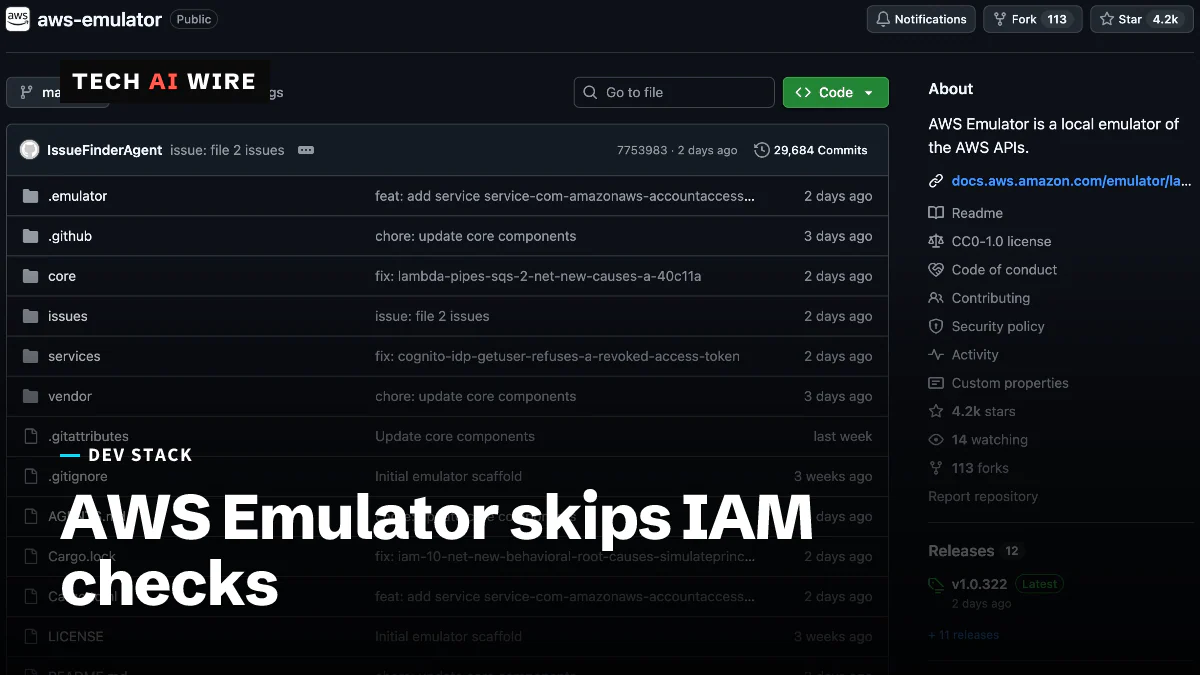
An emulator is a local stand-in that answers the same requests as the real service. A post on Werner Vogels' blog, All Things Distributed, says it covers more than 200 AWS services through more than 400 API models. The code is on GitHub under CC0, a public-domain dedication, according to Amazon's own account.
How AWS built it with agents
"The emulator was written entirely by autonomous agents. Our team hasn't written or reviewed any of the code," Matthew Goldberg, a senior principal engineer at AWS, told Help Net Security. Goldberg writes that the project began as a weekend test, in which an agent built a first version of Amazon SQS, AWS's message queue, in 15 minutes.
Three teams of agents now do the work, Help Net Security reports. One writes tests from AWS's public API specs and checks them against real AWS. A second runs those tests against the emulator. A third fixes what fails. Each change must pass a merge gate that checks the build, coding standards, security and fidelity, meaning how closely the emulator matches AWS. Goldberg counts 438 API models, "tens of thousands" of tests and hundreds of agents fixing thousands of issues a day.
The post on Vogels' blog argues that the engineer's job moves to building those checks. "Software quality in the AI era depends on the guardrails that engineers design around agents," it says.
Tech AI Wire test: setup, speed and permissions
The test ran on macOS 26 with Docker 28.4.0 on an Apple silicon Mac. AWS publishes no ready-made image. Its Docker guide gives a short Dockerfile instead, with an Arm package for Apple silicon. The build took 65 seconds and made a 1.16 GB image. Inside, aws-emulator -v reported version 1.0.322, release date 2026.11.10.
Started with --telemetry off, the emulator was ready in 0.6 seconds. Its log gave the endpoint as https://127.0.0.1:9297, with a self-signed certificate. It also wrote its own AWS config and credentials files, so the AWS CLI could talk to it without real keys. The log warned that the container listens on all network interfaces, which is why AWS's guide publishes the port on 127.0.0.1 only.
The basics worked with AWS CLI 2.24.16. A bucket, an upload and a listing all succeeded in S3, AWS's file storage. An SQS queue took a message and gave it back. In DynamoDB, AWS's key-value database, writing to a new table at once failed with ResourceNotFoundException, because the table was still CREATING. After aws dynamodb wait table-exists, the write and read worked. The whole run took 7 seconds, and the container used 174 MiB of memory.
Permissions were the weak spot. A bucket policy that denied everything did block a download, with a 403 error. But then the test created an IAM user with no policies attached. Using that user's keys, three calls all succeeded:
$ aws sqs list-queues
https://sqs.us-east-1.amazonaws.com/000000000000/taw
$ aws s3 mb s3://nobody-bucket
make_bucket: nobody-bucket
$ aws dynamodb delete-table --table-name taw
DELETING
That is the gap AWS warns about. The emulator does not evaluate IAM or resource-based policies the way AWS does, Help Net Security reports, so AWS says not to use it for security testing. A restart also wiped everything, as the docs say: after docker restart, the bucket list was empty.
AWS Emulator vs LocalStack's free tier
LocalStack is another tool that runs AWS services locally. Its free plan has strings attached that AWS Emulator does not. The table uses LocalStack's pricing page and AWS's own pages.
| AWS Emulator | LocalStack Hobby (free) | |
|---|---|---|
| Price | Free, no service fee | Free |
| Sign-up | None needed in the test | Account required |
| Commercial use | No limit stated; the code is CC0 | Not allowed: "for hobbyists & other non-commercial usage" |
| Cheapest paid plan | None stated | Base, $39 per license a month billed yearly, or $45 monthly |
What this means for developers
AWS Emulator is a quick, free place to run application tests and let coding agents try AWS calls. It is the wrong place to check who can do what.
- Keep permission tests on real AWS. A user with no rights deleted a table here. Test IAM roles and policies in a sandbox AWS account.
- Bind it to localhost. Use
-p 127.0.0.1:9297:9297in Docker, as AWS's guide says. Otherwise anyone on your network can call it. - Turn telemetry off if you need to. Add
--telemetry off, or setEMULATOR_TELEMETRY=off. It is on by default, and Help Net Security reports it sends no requests, responses or resource data. - Seed data in every test run. Everything lives in memory and is gone after a restart.
- Wait for resources, as real code should. Tests that write to a DynamoDB table before it is ready will fail here.
- Check fidelity before you rely on a service. AWS publishes per-service fidelity scores with each release on GitHub.
Teams paying for LocalStack only to run AWS tests at work now have a free option to compare. The catch is the same one AWS names: passing tests here say nothing about your permissions.
Sources
- How autonomous AI agents built AWS Emulator - About Amazon
- AWS Emulator and the engineer's job when agents write the code - All Things Distributed
- AWS Emulator: Open-source tool for testing AWS apps locally, built by autonomous AI agents - Help Net Security
- Getting started with AWS Emulator in Docker - AWS Documentation
- LocalStack pricing - LocalStack
Related articles
TorchNeuron beta brings native PyTorch to AWS Trainium
89% of the top 100 text-generation models now run on AWS Trainium out of the box, up from 46%, as the TorchNeuron PyTorch backend enters public beta.
Perplexity SPACE sandbox for AI agents goes open source
Perplexity released SPACE, the Firecracker sandbox behind its Computer agent, under Apache 2.0 on October 15. Its own tests found 0 escapes in 108 tries.
Capcom REX plans an AI-ready rebuild of its RE Engine
Capcom unveiled REX on October 2, a staged plan to turn RE Engine, used on 27+ games, into an AI-ready engine. Two of its parts are going open source.
The weekly digest
One email every Friday with the week's top stories from all six desks: AI, dev tools, coding, the tech industry, startups and what's next. Free, no spam.