Ideogram Vector 1.0 turns prompts into editable SVGs
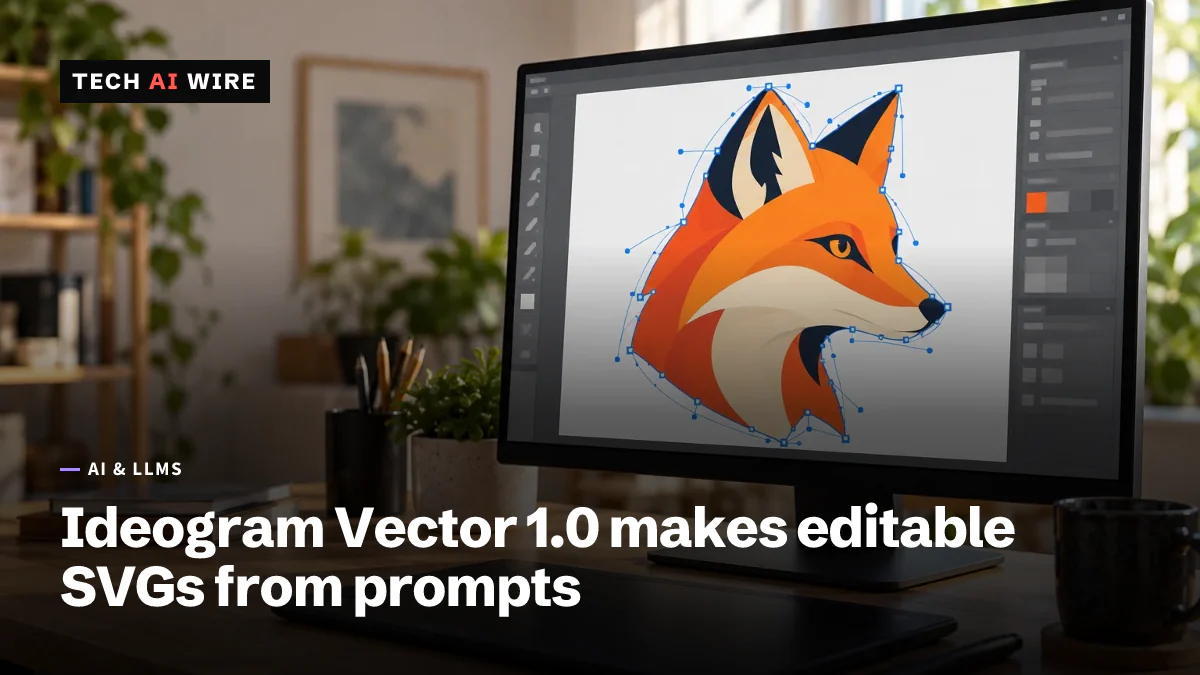
Ideogram's first vector model, launched October 22, makes editable SVG files from text prompts or images, with API image-to-SVG at $0.10 a file.
3 min read
By the numbers
- per image-to-SVG conversion
- $0.10
- per text-to-SVG file on fal, by quality level
- $0.13-$0.32
- characters, the longest prompt allowed
- 9,500
- largest image you can convert
- 50 MB
Ideogram, the AI image company known for typography-focused image generation, launched Vector 1.0 on October 22, 2026. It is the company's first model that makes vector files instead of pixels. It turns a text prompt, or an existing image, into an SVG file that designers can open and edit, RuntimeWire reports.
That matters because most image models output flat pixels. A logo or icon made of pixels blurs when you scale it up and is hard to edit. An SVG, short for Scalable Vector Graphics, describes shapes with math, so it stays sharp at any size and each shape can be changed.
What Vector 1.0 does
The model has two jobs, according to Lapaas Voice:
- Text to SVG: describe a logo, icon, sticker, wordmark or poster, and get an SVG back. You can add reference images to guide the style.
- Image to SVG: upload a JPEG, PNG or WebP and get a vector version of it.
The files open in Adobe Illustrator, Figma and Inkscape, Lapaas Voice says. One catch is text: lettering may come out as vector outlines, not as live text you can retype.
Vector 1.0 is available in Ideogram's app, its API and partner platforms, RuntimeWire reports. One of those partners is fal, a service that hosts AI models behind its own API.
The API and its limits
Ideogram's API docs describe the text-to-SVG endpoint as POST /v2/svg/generate/ideogram-vector-1. Image conversion uses /v2/svg/vectorize/ideogram-vector-1, OrcaRouter reports.
Generation does not return the file right away. The API sends back a generation ID, and your code either checks back for the result or gives the API a webhook address to call when it is done. A dry_run option checks a request and returns a price quote without generating or billing anything. Outputs are private by default.
OrcaRouter, a company that sells AI model gateways but does not carry this model, read the docs closely. It lists these details:
| Detail | Value |
|---|---|
| Prompt length | 1 to 9,500 characters |
| Largest input image | 50 MB |
| Converter modes | "default" and "simple" |
| Layer grouping on converted images | not yet available |
| Rate-limit error | HTTP 429 |
The two converter modes trade detail for simplicity. Ideogram's docs say "default" "preserves more fine detail," while "simple" "draws fewer, simpler shapes," as quoted by OrcaRouter.
Generated SVGs arrive with their shapes in layers. Converted images arrive as flat paths, because grouping "is not yet available," the docs say. OrcaRouter's author calls the conversion feature "a beta wearing a 1.0 label." The author also notes there is no edit endpoint, no batch price and no independent quality test yet.
What it costs
The outlets agree on the price of converting an image: $0.10 per file, in either mode. Text-to-SVG prices depend on quality, according to Lapaas Voice and OrcaRouter:
| Text-to-SVG quality | Price per SVG |
|---|---|
| Low | $0.13 |
| Medium | $0.16 |
| High | $0.20 |
| High, with reference images | $0.32 |
Lapaas Voice gives these figures as fal's prices. Neither outlet published a price list from Ideogram's own site.
What this means for developers
Vector 1.0 gives apps a way to produce icons and logos that can be edited later, not just pictures. That opens uses that pixel models could not handle well, such as print and design tools.
- Use
dry_runto check costs. It returns a quote without billing, so you can price a batch job before sending it. - Plan for async results. Build polling or a webhook into your integration from the start. The API never returns the SVG in the same call.
- Inspect the file, not just the preview. Count paths and anchor points in a few outputs. An SVG optimizer shows how much extra markup a file carries before you ship it in an app.
- Do not rely on live text. If users must edit the words in a logo, add the text yourself after generation.
- Test the converter on your own artwork. Converted files come back as flat paths, so check whether your designers can still work with them.
- Handle 429 errors. The docs list daily limits, in-flight limits and insufficient funds as reasons, so retry with care.
Sources
- Ideogram launches its first vector model for editable SVG design - RuntimeWire
- Ideogram Launches Vector 1.0 AI Model to Generate Editable SVGs From Text Prompts - Lapaas Voice
- Ideogram Vector 1.0: What the SVG File Actually Holds - OrcaRouter
- Generate SVG - Ideogram API docs
Related articles
GPT-6.1 Terra halves OpenAI's mid-tier API price
OpenAI released GPT-6.1 Terra on October 26 at $1 per million input tokens and $5 per million output, half GPT-5.6 Terra's price, with computer use.
OpenAI Decisions API reaches GA with 400 questions a call
OpenAI's Decisions API left beta on October 22, 2026. It still costs $0.10 per 1M input tokens and now takes up to 400 questions per request.
Inception Mercury 3 diffusion LLM claims 1,068 tokens/sec
Inception's Mercury 3 diffusion LLM claims 1,068 tokens a second, a 1M-token context and $0.20/$0.70 per million tokens, half off at launch.
The weekly digest
One email every Friday with the week's top stories from all six desks: AI, dev tools, coding, the tech industry, startups and what's next. Free, no spam.