Chrome 155 turns on JPEG XL by default
Chrome 155 decodes JPEG XL images by default, using jxl-rs, a memory-safe Rust decoder. Firefox 158 is due to follow on October 13, 2026.
3 min read
By the numbers
- the Chrome version that enables JPEG XL by default
- 155
- date Google announced the change, 2026
- Oct 6
- smaller files when recompressing existing JPEGs losslessly
- ~20%
- date Firefox 158 is scheduled to follow
- Oct 13
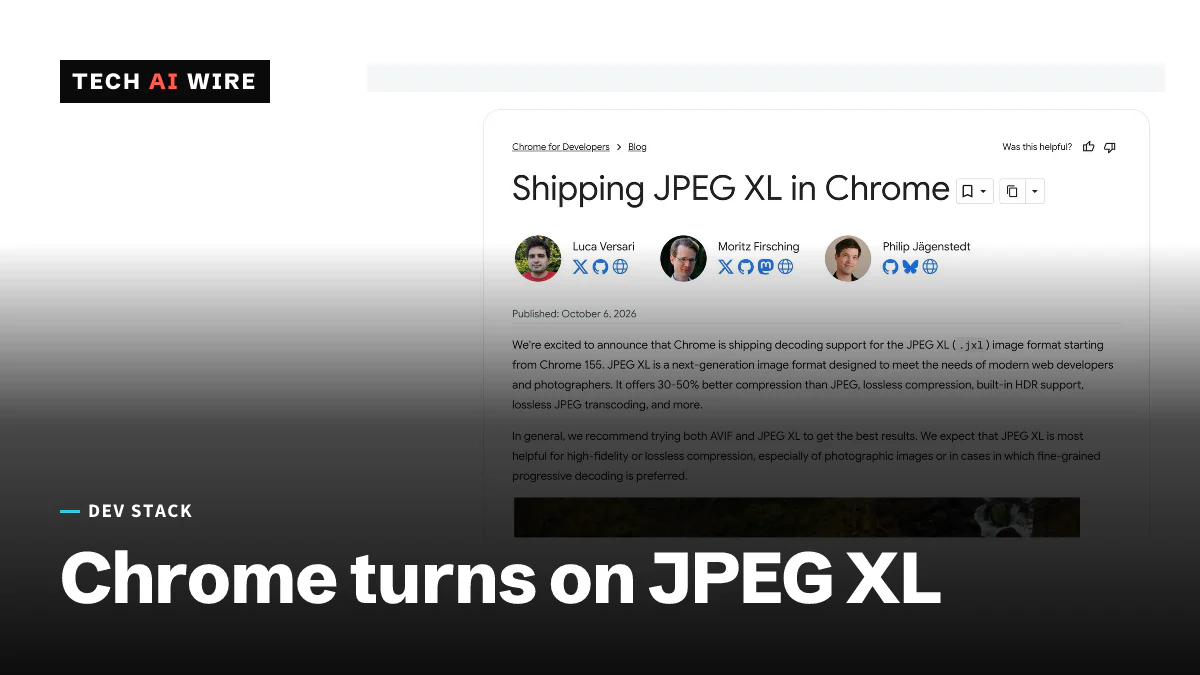
Chrome 155 decodes JPEG XL images by default, Google's Chrome team announced on October 6, 2026. The decoder is jxl-rs, written in Rust for memory safety. With Firefox 158 scheduled to follow on October 13, JPEG XL is about to work in all the major browser engines. That ends a four-year detour for a format web developers kept asking for.
What Chrome shipped
JPEG XL, file extension .jxl, is an image format designed to replace JPEG. It can store photos at smaller sizes, and it can also rewrap an existing JPEG without losing any quality.
The Chrome team lists the features it supports:
- lossy and lossless compression
- HDR, or high dynamic range, for brighter highlights and deeper shadows
- lossless JPEG transcoding, which shrinks an old JPEG and can turn it back into the exact original
- progressive decoding, which shows a rough version of an image first and sharpens it as more data arrives
- animation
The format first arrived in Chrome 145 in February 2026, behind a flag at chrome://flags/#enable-jxl-image-format, according to CoreWebVitals.io. Chrome 155 removes the need for the flag.
Why the decoder is written in Rust
Image decoders are a classic target for attackers. A bug in the code that unpacks a picture can let a booby-trapped image take over a browser. The Chrome team calls decoders "one of the most critical and targeted attack surfaces in any modern web browser."
So it chose jxl-rs, a decoder written from scratch in Rust. Rust's compiler blocks whole classes of memory bugs that C and C++ allow. The team also built jxl_simd, a SIMD layer inspired by Google's Highway library. SIMD instructions let a processor work on many pixels at once, which keeps the safe code fast.
The Chrome team says fuzzing, which throws millions of random inputs at the code, and AI code review found no memory safety bugs during the work.
The reports disagree on speed. CoreWebVitals.io says jxl-rs runs within 15-25% of the C++ reference decoder. Fileza puts the gap at 5-10%.
Why Chrome changed its mind
Chrome had dropped JPEG XL before. Fileza calls it "the controversial 2022 removal." The Chrome team now says it acted on "consistent feedback and requests from web developers." It points to the format's popularity in proposals for the Interop Project, where browser makers agree each year on gaps to fix together.
The comeback follows a long thread. Mozilla announced JPEG XL support with its own Rust decoder in August. jpegxl.info now lists Firefox 158 as enabling it by default, scheduled for October 13, 2026.
| Browser | JPEG XL status | Source |
|---|---|---|
| Chrome 155+ | On by default | Chrome team, jpegxl.info |
| Chrome 145-154 | Behind a flag | CoreWebVitals.io |
| Firefox 158 | On by default, scheduled October 13, 2026 | jpegxl.info |
| Safari 17+ | Supported since September 2023, without animation or progressive decoding | CoreWebVitals.io |
| Brave Beta 1.98+ | Supported, based on Chromium 155 | jpegxl.info |
How much smaller the files are
The size claims vary. CoreWebVitals.io says JPEG XL files are 50-60% smaller than JPEG and 10-15% smaller than AVIF. Both it and Fileza put lossless JPEG recompression at about 20% smaller.
Not everyone agrees with those comparisons. A detailed critique in September argued that AVIF now beats JPEG XL on compression. Measure on your own images before you pick a winner.
What this means for developers
- Serve JPEG XL with a fallback. Use the HTML picture element with a source of type
image/jxl, or check theAcceptheader on the server. Chrome before version 155, and other browsers without support, still need JPEG, WebP or AVIF. - Start with lossless JPEG recompression. It is the safest win. Existing JPEGs shrink by about 20% and can be turned back into the exact original, so nothing is lost if you change your mind.
- Test animation and progressive images on Safari. CoreWebVitals.io says Safari lacks both. A progressive JXL that looks fine in Chrome may load all at once there.
- Update your image pipeline. CDNs, resizers and upload validators that reject unknown MIME types will block
.jxlfiles. Check them before users start uploading. - Watch Largest Contentful Paint. Smaller hero images can improve this Core Web Vitals score, which measures when the main content appears. Compare before and after on real traffic, not only in a lab test.
Watch the Firefox 158 release on October 13. If it ships on schedule, JPEG XL becomes a format you can plan around rather than an experiment.
Sources
- Shipping JPEG XL in Chrome - Chrome for Developers
- JPEG XL and Core Web Vitals: what you need to know now that Chrome ships it - CoreWebVitals.io
- JPEG XL Returns to Chrome: What This Means for Your Images - Fileza
- Software Support - jpegxl.info
Related articles
Chrome moves to a two-week release cadence
Chrome 153 starts a two-week milestone cycle, down from four. Google says Chrome 149 and 150 alone fixed 1,072 security bugs as LLMs find flaws at scale.

Cloudflare's Kitesurf is a browser built for AI agents, not people
Cloudflare built Kitesurf, an agent-first browser that runs in V8 isolates on Workers - 3-7x lighter than Chromium on CPU and memory, free in beta, Playwright-compatible.
Fearless SIMD 1.0 brings stable, safe SIMD to Rust
Fearless SIMD 1.0, released September 21, gives Rust safe SIMD from SSE2 to AVX-512, NEON and WebAssembly, with a stable API and 3 years of security fixes.
The weekly digest
One email every Friday with the week's top stories from all six desks: AI, dev tools, coding, the tech industry, startups and what's next. Free, no spam.